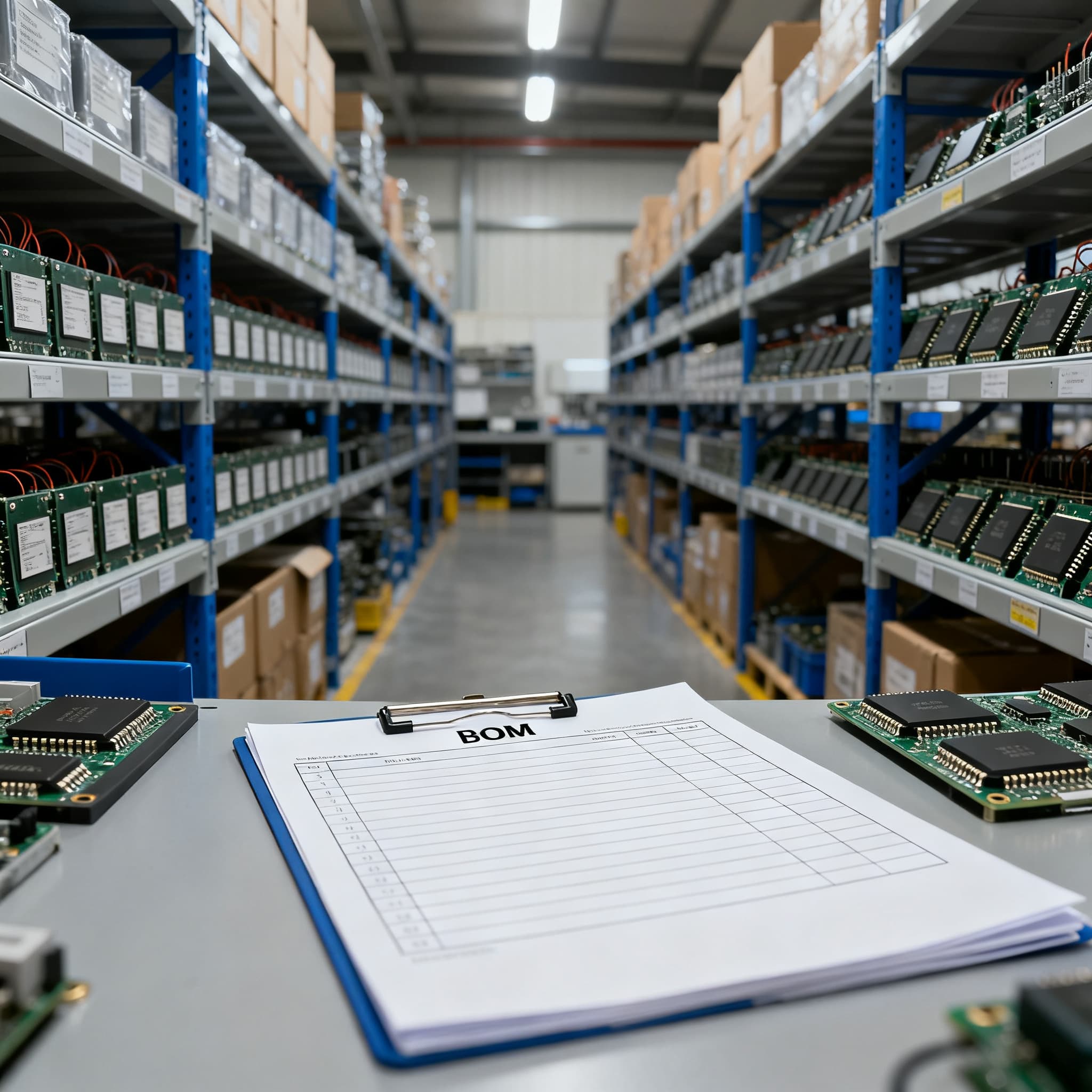
Multi-Line BOM Upload Service for Electronic Components RFQ Consolidation
Practical BOM sourcing guidance for OEM and EMS buyers. Prepare your component list, consolidate suppliers, and upload a BOM for one quote.
When Three BOM Lines Carry an 'Allocation-Common' Flag, It's Time to Upload, Not Email
Production material lead times stretched to an average of 85 days in mid‑2025, and the 2026 shortage outlook warns buyers to start redesign conversations the moment a BOM shows three or more “allocation‑common” lines. When three different line items on the same bill of materials are already flagged as chronically allocated, piecemeal quoting through email chains doesn’t give you the forward visibility needed to protect your build plan. Sending five separate RFQs to five different channel partners creates a stack of spreadsheets with inconsistent terms, mismatched delivery assumptions, and no unified view of aggregate risk.
A multi‑line BOM upload service—like the one TrustCompo offers—collapses those scattered requests into a single, comparable excitation of the supply base. Instead of chasing line items individually, you upload the entire BOM as a single spreadsheet. The service normalises part numbers, flags allocation risks, checks for alternates, and assembles a consolidated RFQ package that every supplier quotes against the same structure. When the shortage update says “start the redesign conversation immediately, not after the line stops,” the upload becomes the mechanism that turns the early‑warning signal into action before your safety stock evaporates.
What Actually Happens When You Upload a Multi-Line BOM for RFQ Consolidation
A clean upload triggers far more than a simple quote. The ingestion engine reads your spreadsheet, cross‑references manufacturer part numbers against current data, and separates the lines that can flow through authorised distribution from those that will need open‑market sourcing. It automatically checks whether you’ve listed approved alternates, flags any obsolete or NRND part numbers, and builds a request package that includes quantity breaks, delivery windows, packaging preferences, and any special traceability requirements you’ve noted. Elisa Industriq’s RFQ process analysis shows that when suppliers receive a complete, well‑prepared package—one that leaves no room for guessing about date codes, reel formats, or target pricing—total RFQ cycle time shrinks dramatically.
The output is a set of line‑level quotes that reflect aggregated purchasing power, not padded assumptions. As IC Online’s OEM/EMS guide demonstrates, when suppliers see the full demand window instead of isolated MPN requests, they can offer volume‑based pricing and commit inventory across the whole BOM. That is how you move from “I hope this price holds” to purchase‑price variance (PPV) numbers that trend in your favour. But the engine can only work with what you feed it. A quotable BOM must contain exact manufacturer part numbers, approved alternates, packaging, and target quantities—the difference between a spreadsheet row and an actionable RFQ line.
Tip: Treat every column in your BOM upload as a field that eliminates a future email. A missing packaging preference (“reel or cut tape?”) or an absent target date can add days to the RFQ cycle, even when the parts are in stock.
The table below highlights which fields contribute most to quote speed and accuracy when you upload a multi‑line BOM for consolidation.
| Field | Requirement Level | Quote Acceleration Impact | Notes |
|---|---|---|---|
| Manufacturer Part Number (exact) | Mandatory | Critical — without it, quote is delayed until clarified | Use full ordering code; avoid generic family names |
| Quantity per line | Mandatory | Directly drives unit pricing and volume-break application | Specify whether it’s a one‑time buy or recurring demand |
| Target delivery date | Mandatory | Allows supplier to confirm lead‑time feasibility | Use realistic dates; overly optimistic requests distort quotes |
| Packaging preference | Recommended | Prevents requote for reel vs. cut tape mismatches | Choose: reel, tray, tube, cut tape |
| Approved alternate MPNs | High value | Enables simultaneous alternate quoting, cutting back‑and‑forth | List priority; note if alternate requires requalification |
| Target unit price | Optional | Helps supplier flag lines exceeding budget early | Be transparent; unrealistic targets slow award decisions |
| Required date code or traceability | Conditional | Avoids post‑award rejection for date‑code complaints | Examples: “no older than 2 years,” “full lot traceability” |
| Lifecycle status (if known) | Advisory | Flags EOL/NRND lines for immediate redesign conversations | Verify against manufacturer PCN before upload |
When you supply those fields, the RFQ package that goes out to suppliers is a structured, apples‑to‑apples request. Incomplete rows invite assumptions; complete rows invite competitive quotes.
Upload Service, Manual Email, or Webform: Which RFQ Path Keeps a 120‑Line BOM Under Control
For a handful of parts, TrustCompo’s web‑based “RFQ Submit” is fast and perfectly adequate. Authorised distributors like Digi‑Key and Mouser also provide BOM upload tools that return real‑time pricing against their own inventory. But once a BOM crosses about 20 unique part numbers—especially when it includes lines that must be sourced outside a single distributor’s stocking list—the strategy needs to shift. Manual email RFQs degenerate into ad‑hoc spreadsheets; webform tools on a single distributor’s site cannot apply normalised commercial terms across all lines or simultaneously address open‑market items with the appropriate traceability checks.
The comparison isn’t about technology flash; it’s about whether the buyer can enforce a common structure and apply a risk‑based classifier (“what happens if supply stops, how quickly can a qualified replacement enter production?”) to every line before the quotes come back. An intelligent upload service pre‑validates and normalises, letting suppliers quote against the same set of expectations—the difference between an RFQ that returns comparable pricing and one padded with risk premiums.
| Method | BOM Size Fit | Normalisation & Structure | Price Leverage | Open‑Market & Risk Visibility |
|---|---|---|---|---|
| Dedicated multi‑line BOM upload (e.g., BOMNow, TrustCompo) | 20–500+ lines | Auto‑normalises MPNs, validates against lifecycles, applies one RFQ template for all suppliers | High — suppliers see full demand window, can offer volume pricing and commit inventory | Separates franchise and open‑market lines; flags allocation‑common items and alternates |
| Manual email RFQ | 5–50 lines (becomes unwieldy beyond that) | Inconsistent — each supplier receives differently formatted files, leading to mismatched terms | Low — suppliers quote line by line, often adding safety margins for uncertainty | Limited; risk assessment is reactive and spread across multiple inboxes |
| Single‑distributor webform (e.g., Digi‑Key BOM Manager) | 1–100 lines | Good for parts in that distributor’s catalogue, but no cross‑source normalisation | Moderate — limited to that distributor’s stock and pricing, no aggregation | Open‑market parts cannot be quoted; allocation flags are inventory‑only, not supply‑base wide |
| Enterprise RFP software (e.g., Steerlab) | Complex, multi‑site, high‑value | Strong for scored, category‑driven RFQs; often over‑engineered for a single component BOM | Can be strong but incurs implementation overhead | Risk modules available, but typically not tuned for electronic component lifecycle nuances |
If your BOM contains more than 15 unique MPNs—and especially if three or more of those lines fall into allocation‑common territory—a dedicated multi‑line upload service is the only path that makes the risk visible before the supplier quotes. Manual email chains and single‑portal webforms hide the aggregate picture that a component buyer needs to make a forward‑looking award decision.
Building a Quotable Multi‑Line BOM That Shrinks PPV and Delivers Comparable Quotes
The BOM you upload isn’t just a list of parts; it’s the foundation of every commercial negotiation that follows. Start by adding a risk‑indicator column and approved alternate part numbers directly in the spreadsheet before you hit upload. Classify each line using two simple questions: What is the production impact if supply stops, and how quickly can a qualified replacement enter production? Those answers dictate whether a line needs a multi‑source strategy before the next PO is placed.
Then use the notes field—or a dedicated column—to declare quantity breaks, target pricing, delivery windows, and required traceability. TrustCompo and industrial procurement specialists alike stress that a consolidated RFQ is only as precise as the commercial intent you spell out. Include packaging preferences (cut tape, full reel, tray) and lifecycle status when known. The 2026 shortage guide reinforces that engineering needs to be pulled into the redesign conversation immediately for any line where lifecycle risk or allocation history is flagged—ideally before the RFQ is even finalised, so alternates are validated ahead of time.
Finally, keep the BOM quotable across revisions. Use revision‑controlled file names and a change‑log tab inside the spreadsheet. When mechanical and electronic line items are treated with equal structure discipline, you avoid misquotes triggered by an obsolete part number that was quietly swapped in a design update but never communicated to procurement. The table below provides a practical risk classification you can adapt directly in your BOM template.
| Risk Category | Criteria | Procurement Action Before Upload | Example |
|---|---|---|---|
| Allocation‑common | Part frequently on allocation; lead time exceeds 26 weeks in normal conditions | Add two approved alternates, flag for multi‑source strategy, notify engineering | High‑density MLCCs in specific case sizes, popular STM32 MCUs |
| Single‑source, no alternate | Only one mfr; no drop‑in replacement available | Initiate redesign conversation; request safety‑stock quote in parallel with production buy | Specialised sensor ASIC, custom‑programmable logic |
| Lifecycle risk (NRND/EOL) | Manufacturer PCN indicates NRND or EOL within 12 months | Validate last‑time‑buy window, add successor MPN as alternate if qualified | Older EEPROM family, connector series being phased out |
| Long‑lead, stable demand | Lead time 12–20 weeks but supply is steady | Negotiate lead‑time commitment at RFQ stage; request scheduled deliveries | Industrial Ethernet PHY, certain power modules |
| Open‑market only | Unauthorised distribution only; no authorised stock | Specify full traceability and inspection requirements; request third‑party test option | Obsolete DDR3 memory IC, legacy data‑acquisition chip |
When every line carries that level of clarity, the quotes that come back are no longer padded with assumption‑based safety margins. Suppliers can price against the real risk, not the worst‑case guess. That is how you move PPV from a quarterly headache to a manageable, and often improved, number.
Multi‑Line BOM Upload RFQ: Questions Your CM Wishes You’d Ask Before Hitting Send
Q: How many BOM lines justify a multi‑line upload service versus submitting individual RFQs?
When a BOM contains more than 15–20 unique part numbers or three or more allocation‑common lines, the consolidation efficiency and risk visibility from a single upload outweigh the convenience of one‑off webforms. The 2026 shortage guide explicitly recommends a multi‑source strategy at three allocation‑common lines—and consolidation makes that strategy executable.
Q: What file formats are accepted, and what field must be present for the quickest quote turnaround?
Most upload services accept .xlsx, .csv, or .xls. The non‑negotiable fields are manufacturer part number, quantity, and target date. Adding approved alternate MPNs, packaging preference, and target price per line dramatically reduces back‑and‑forth and cuts RFQ cycle time by eliminating incomplete‑package delays.
Q: Can I specify multiple alternate parts and different price targets on the same line?
Yes—as long as the upload template supports alternate columns. TrustCompo’s service, for instance, allows notes for “preferred alternate A, second source B,” target pricing per scenario, and even compliance‑specific alternates. This capability is essential for normalising commercial terms ahead of vendor selection.
Q: How does a consolidated BOM upload affect lead time and price leverage compared to sourcing line by line?
Consolidation gives suppliers visibility into the full demand window, enabling volume‑based pricing and better allocation decisions. OEM/EMS buyers have reported PPV improvements because quotes are no longer padded with assumption‑based safety margins—they reflect aggregated purchasing power and real component availability.
Q: What if my BOM mixes franchise parts with hard‑to‑find open‑market lines?
A good upload service separates the lines by sourcing type and applies different validation rules. You can flag open‑market items in the notes—requesting shortage sourcing review and counterfeit‑mitigation checks—while the franchise lines proceed through standard distribution channels. TrustCompo specifically supports this dual‑mode handling.
Q: How do I maintain BOM version control when the consolidated RFQ is already out?
Use revision‑controlled file names and a change‑log tab inside the spreadsheet. If the BOM changes materially before award, re‑upload and notify suppliers that the new version supersedes the previous one. Keeping the BOM quotable across design iterations prevents misquotes caused by obsolete part numbers or packaging.
Consolidated RFQs built on a multi‑line BOM upload put procurement in the driver’s seat: you set the structure, you classify the risk, and you collect quotes you can actually compare. The alternative—a stream of individual emails and disjointed spreadsheets—will cost you more than time. It will cost you the leverage that every well‑prepared BOM deserves.
Ready to turn your component list into a single, comparable RFQ? Upload Your BOM to receive a consolidated quote, or Request a Quote for a single MPN when you need a fast, focused answer.
References & Further Reading
- 2026 Electronic Component Shortage Update for Buyers – IC Online
- BOM Upload Service for Electronic Components RFQ – TrustCompo
- RFQ Process: What Happens After a BOM Hits Your Inbox – Elisa Industriq
- How OEM/EMS Buyers Can Reduce BOM Costs and Improve PPV Using BOM Upload and RFQ – IC Online
- Electronic Component Vendor Consolidation: Savings, Risk, and a Category Decision Model – SupplyICs
- Best RFP Software for Manufacturing Companies 2026 – Steerlab
- Box Build BOM Preparation Guide – Turnkey Box Build