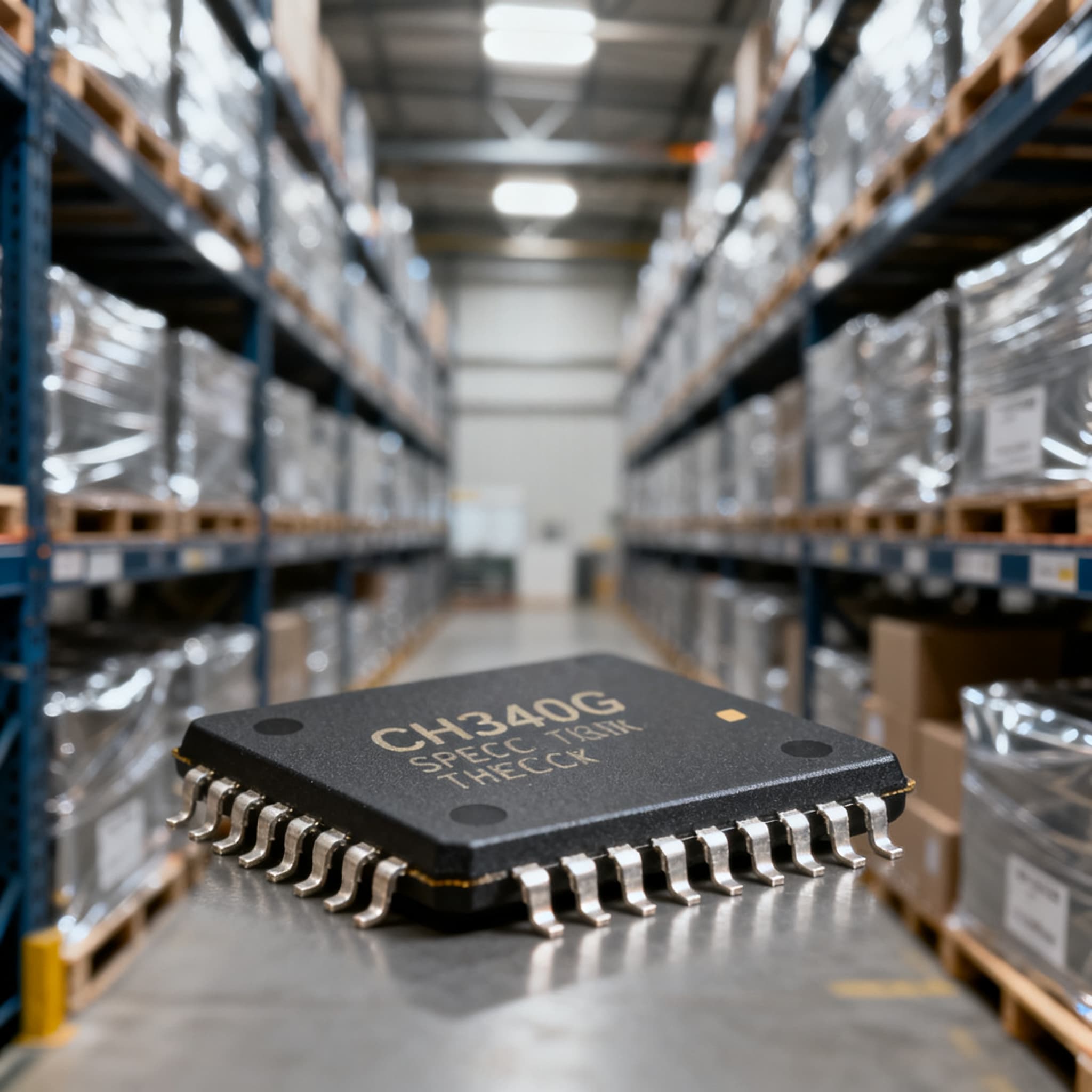
CH340G Procurement Guide: Pinout and Spec Checks for RFQ
CH340G procurement checklist: datasheet specs and pinout fields to verify on RFQ, plus BOM upload path on BOMNow.
The CH340G NRND Trap: Why This Part Shouldn't Anchor Your Next Design
If you’re sourcing USB-to-UART bridges for a production BOM, the CH340G likely appears on your radar. It’s the low‑cost, widely cloned chip that quietly powers serial communication on countless Arduino clones, ESP8266 boards, and microcontroller modules. But before you quote a new line or re‑order for an existing design, there’s a procurement red flag you need to confront head‑on: the CH340G now carries a Not Recommended for New Designs (NRND) status.
The NRND designation is a formal signal from the manufacturer that the part, while still in production and orderable, should not be used in new designs. Never select an NRND component for new designs. The reasons are simple: supply availability becomes unreliable and expensive, allocation can tighten without warning, and the path to End‑of‑Life (EOL) shortens dramatically. The window between NRND and EOL can last from one to many years, but it can also close suddenly when a process change or demand shift forces the vendor’s hand. Manufacturers still produce the part, but they advise against new designs and typically restrict future technical support. For procurement teams, the NRND banner is a reliability risk multiplier: one day your CEM can source 10,000 pcs without issue, the next you’re scouring the open market for trays with questionable date codes.
Recognizing the lifecycle signal is the first step in avoiding a BOM crisis. Many manufacturers signal lifecycle status with a yellow or amber banner on the datasheet or product page, or with phrases like “Mature” or “Not Recommended for New Designs.” TDK’s EoL/NRND information page shows how such flags appear even for passive components, and the same principle applies to interface ICs. For the CH340G, the NRND status is a procurement gate: you must verify it before cutting a PO, and you cannot treat it as a long‑term anchor for any new product. The trap isn’t just availability — it’s the inheritance cost of qualifying a part that the manufacturer has already flagged for eventual phase‑out.
CH340G Pinout and Critical Specs Before You Cut a PO
When you issue an RFQ for the CH340G, you’re not buying a generic USB‑serial chip — you’re buying a specific 16‑pin SOP package with a mandatory external crystal circuit and 5V‑tolerant I/O. Confusing it with a logic‑level‑only variant or a module that omits key pins is a fast path to production line failures. The CH340G is a USB‑to‑UART bridge from Nanjing Qinheng Microelectronics (WCH) and requires a 12 MHz quartz crystal with two 22 pF capacitors, as detailed in the datasheet crystal circuit. Missing that crystal will turn your serial interface into a brick.
The pinout matters for procurement because it defines what signals your board will actually receive, and whether you need to specify a module with or without DTR for auto‑reset. The fundamental pins are:
- TXD and RXD — UART transmit and receive data lines, 5V‑tolerant.
- DTR# — Data Terminal Ready output, critical for auto‑reset on Arduino‑style boards. Some modules omit DTR, breaking auto‑reset and forcing manual reset routines.
- RTS# and CTS# — hardware flow control signals; useful when you need reliable handshaking at higher baud rates.
- VCC, GND, XI, XO — power and crystal oscillator pins; XI/XO connect to the 12 MHz crystal.
- UD+, UD- — USB differential data lines.
Before you quote, verify the exact package and pin assignments against the datasheet you intend to reference in your PO. The official WCH datasheet on LCSC confirms 5V logic levels and typical USB 2.0 full‑speed (12 Mbps) operation. Alldatasheet and alternative copies can help you cross‑reference, but always prefer the manufacturer’s latest revision for the ordering code and electrical characteristics. The table below captures the parameters that most often trip up buyers who assume the CH340G is “just another USB‑UART.”
| Parameter | Value/Range | Unit/Notes |
|---|---|---|
| Package | SOP16 | 16‑pin, 1.27 mm pitch; verify for automated assembly |
| Supply Voltage (VCC) | 4.5 – 5.5 | V; 5V nominal, not 3.3V native |
| I/O Voltage Tolerance | 5V-tolerant | Logic levels match 5V systems; level shifting needed for 3.3V MCUs |
| USB Specification | USB 2.0 full‑speed (12 Mbps) | Compatible with USB 1.1 hosts |
| UART Baud Rate | 50 bps – 2 Mbps | Standard rates; high‑speed loads require flow control |
| External Crystal | 12 MHz quartz, 22 pF caps | Mandatory; datasheet specifies crystal circuit |
| DTR# Pin | Present on IC; module variants may omit | Verify module footprint before quoting; some modules lack DTR |
| Operating Temperature | -40 to +85 °C | Industrial range; confirm with manufacturer for exact grade |
| ESD Protection | Typical ±2 kV HBM on USB pins | External TVS recommended for robust designs |
| Driver Support | Windows, macOS, Linux; may require driver install | Windows often needs manual driver installation |
Tip: When you request a quote for a CH340G IC, specify the exact manufacturer (WCH) and the SOP16 package. If you are buying pre‑assembled modules, add a line item confirming the presence of the DTR pin and the crystal circuit. These details are not optional — they are the difference between a working USB‑serial channel and a board that fails functional test.
Alternatives to CH340G: FTDI, CP2102, and CH340N Compared
With the CH340G flagged as NRND, every BOM that carries it needs a second‑source escape route. The good news is that the USB‑to‑UART bridge market is mature, and there are several alternatives you can evaluate without a complete redesign. The CH340G has long been a lower‑cost alternative to FTDI and Silicon Labs’ CP210x families, but cost alone is no longer a sufficient reason to stick with a part that the manufacturer is moving away from.
The most commonly cited replacements are the FTDI FT232 series, the Silicon Labs CP2102, and the WCH family member CH340N. CH340G competes directly with FTDI FT232 and CP2102 in terms of basic function, but each brings a different set of procurement implications. The CH340N (SOIC8, 3.3V) offers a smaller footprint and eliminates the external crystal, but it trades 5V logic for 3.3V operation — a factor that can break backward compatibility if your design expects 5V tolerance. Module‑level considerations are equally critical: some CH340G modules omit the DTR pin, and the same can happen with alternative modules if you don’t verify the pin breakout.
The comparison table below highlights the key procurement‑relevant differences, not just the datasheet headlines. Use it to frame your RFQ for a second source and to flag the boundaries where a drop‑in assumption fails.
| Comparison Metric | CH340G (WCH) | FTDI FT232RL (Leading OEM) | Silicon Labs CP2102N | WCH CH340N (Family successor) | Selection Criteria & Failure Boundary |
|---|---|---|---|---|---|
| Package | SOP16 | SSOP28 | QFN24 / QFN28 | SOIC8 | Footprint change required; CH340N is not pin‑compatible |
| Logic Voltage | 5V (5V‑tolerant I/O) | 3.3V/5V configurable | 3.3V I/O (5V‑tolerant) | 3.3V | 5V designs need level translation if moving to CH340N |
| External Crystal | Required (12 MHz) | Internal oscillator | Internal oscillator | Not required | CH340G crystal circuit is mandatory; FTDI/CP2102 simplify BOM |
| DTR Pin Availability | Present on IC, but module‑dependent | Always present on standard modules | Present; DTR on GPIO | Present on IC; module designs vary | Verify module schematic; lack of DTR breaks auto‑reset |
| Driver Ecosystem | OEM driver; Windows often needs manual install | Signed drivers, broad OS support | VCP drivers, Windows/Mac/Linux | Same driver as CH340G; still may require manual install | CH340G driver friction may persist in CH340N |
| Lifecycle Status | NRND — not for new designs | Active | Active | Active (as of 2025) | CH340G carry‑over risk; NRND still orderable but risky |
| Relative Cost (1k qty) | Low | Higher | Mid‑range | Low | Cheapest option may carry highest lifecycle risk |
Do not assume a “CH340” module is interchangeable. The CH340N is a different IC with a different voltage domain, and even the CH340C (a popular variant in some modules) swaps the crystal requirement for an internal oscillator but retains a different pinout. When you qualify an alternative, treat it as a new line item with its own datasheet and a separate AVL entry. The CH340G is not a family representative — it’s a specific component with specific constraints, and the NRND clock is ticking.
RFQ‑Ready: How to Specify CH340G Without Inheritance Headaches
If your production line still depends on the CH340G for legacy builds, your RFQ needs to be more than a part number and a quantity. Inheritance headaches start when a buyer assumes the part is active and unrestricted, only to discover later that the supplier can’t guarantee batch consistency or that the modules arriving at the dock lack the DTR pin your firmware expects. The following actions turn an RFQ into a lifecycle‑aware sourcing document that protects your line and your engineering team.
First, confirm the lifecycle status directly from the manufacturer or an authorized distributor. NRND parts are still orderable but risky, and the manufacturer may have already issued a Product Change Notification (PCN) with final order dates. If you don’t see a PCN, ask for a written confirmation of the status and any tentative last‑time‑buy window. Second, break the BOM line into the IC and the module separately if you are sourcing pre‑assembled boards. Some modules omit the DTR pin, so specify “DTR pin present and connected to header” as a line‑item requirement. Third, account for the driver quirks: CH340G may need driver installation on Windows, and different module suppliers may ship different driver versions. Include a note in the RFQ that the supplier must provide the certified driver package or a link to the WCH official driver.
For new designs, the rule is unambiguous: never select an NRND component for new designs. Even if stock looks plentiful today, the NRND label means that the manufacturer is no longer investing in long‑term availability and may shift capacity to active products. The table below translates these procurement guardrails into a timeline of actions you can take now, whether you are maintaining a legacy product or planning a redesign.
| Action | When to Use | Trade‑off |
|---|---|---|
| Confirm NRND status and request PCN | Before every re‑order and during new BOM scrub | Adds lead time to quoting; avoids surprise EOL |
| Add DTR pin verification to module PO | Whenever you buy modules, not bare ICs | May limit supplier pool; prevents auto‑reset failures |
| Specify exact crystal circuit components (12 MHz, 22 pF) | When you source modules or contract manufacturing kits | Tightens BOM control; each deviation risks oscillator startup issues |
| Qualify a second‑source alternative (FT232, CP2102, or CH340N) | Immediately for any new design; for legacy products within 6 months | Requires PCB spin and firmware retest; protects against NRND phase‑out |
| Request driver package and Windows compatibility statement | At RFQ stage for modules | Extra document to manage; eliminates field support calls |
| Plan a last‑time‑buy based on PCN dates | If EOL announcement arrives | Capital tie‑up; secures production until redesign completes |
When you upload your BOM, treat the CH340G line as a legacy exception that requires special handling. Flag it as NRND, attach the datasheet revision you’re validating against, and include any alternative part numbers you’ve qualified. This transforms a risky line item into a managed procurement event, not a fire drill waiting to happen.
CH340G Sourcing FAQs: What Engineers and Buyers Need to Know
Q: Is the CH340G still recommended for new designs?
A: No. The CH340G carries an NRND (Not Recommended for New Designs) status. Never select an NRND component for new designs. While the part is still produced and orderable today, supply can become unreliable and expensive, and the window to EOL can last years or suddenly shorten. For any new product, choose an active alternative like the FTDI FT232, CP2102, or a non‑NRND member of the CH340 family.
Q: What are the main differences between CH340G and CH340N?
A: The CH340G comes in a SOP16 package, supports 5V logic, and requires an external 12 MHz crystal. The CH340N is a SOIC8 device, operates at 3.3V, and has a smaller footprint. CH340G supports 5V logic, CH340N operates at 3.3V. They are not drop‑in replacements; moving to CH340N requires a board re‑layout and level‑shifting for 5V interfaces.
Q: Can I use a CH340G module as a drop‑in replacement for an FTDI FT232?
A: Not directly. CH340G is a lower‑cost alternative but uses different drivers, and many CH340G modules omit the DTR pin, which breaks auto‑reset on many microcontroller boards. You’ll need to verify driver compatibility, pinout matching, and the presence of DTR before swapping.
Q: Does CH340G require an external crystal?
A: Yes. A 12 MHz quartz crystal with two 22 pF capacitors is mandatory. The datasheet specifies the crystal circuit and the recommended capacitor values. Attempting to run the chip without this circuit will result in no USB enumeration.
Q: How can I verify the lifecycle status before quoting?
A: Check the manufacturer’s product page for a yellow or amber banner indicating NRND or Mature status. Typical signal: yellow or amber banner. If you don’t see a clear status, request a Product Change Notification (PCN) from your distributor or the manufacturer. Do not rely on aggregator inventory status as a lifecycle indicator.
Q: What should I do if my BOM already includes CH340G?
A: Immediately qualify an alternative like the FTDI FT232, Silicon Labs CP2102, or the CH340N where appropriate. Keep the CH340G for legacy production only, avoid using it in new designs, and secure a second source so you aren’t trapped when the part transitions to EOL. If you haven’t yet, check whether a PCN has been issued and plan a last‑time‑buy if needed.
References & Further Reading
- Understanding ‘Not Recommended for New Designs’ Component Status – Industrial Monitor Direct
- EOL vs NRND vs Obsolete: IC Lifecycle Status Explained – FPGACenter
- Electronic Component Lifecycle Status: Active, NRND, EOL & Obsolete – PCNShark
- Product Status Information [NRND, EOL announced and Obsolete] – TDK
- CH340 USB to serial chip English Data Sheet – MPJA
- CH340G Datasheet – WCH via LCSC
- CH340G USB-Serial Module – Handson Technology
- CH340G: A Complete Guide – Tricky Circuit
- CH340 Datasheet: Key Features & Applications Explained – Accio
- CH340G Serial Programmer Module – Einstronic Enterprise
- CH340G Datasheet, PDF – Alldatasheet
The NRND status of the CH340G doesn’t mean you must abandon the part overnight, but it does mean you cannot treat it as a stable, long‑term BOM item. By verifying pinout details, checking for DTR on modules, and qualifying an active alternative before you’re forced to, you turn a procurement liability into a managed transition. Whether you need to secure a last‑time‑buy or source a compatible second source, starting with a clean, spec‑verified RFQ is the only way to avoid surprises on the SMT line. Upload your BOM for a consolidated quote, or request a quote for a single MPN, and let your sourcing partner handle the lifecycle checks while you focus on the design.